
Same account, same markets, same live tables — wrapped up so it opens in one tap and stays light on your data. Grab the Android build or pin the site to your iPhone home screen in a few seconds.
The app is not a different world from the website — it is the same IceBook9, tuned so the things you do most take fewer taps.
An icon on your home screen instead of hunting for a tab. It jumps straight to the markets, not a loading screen.
Choose to get a nudge before a game you follow starts, so you are not scrambling once the toss is done.
Built to stay light. It caches the bits that do not change so it feels quick even on a patchy signal.
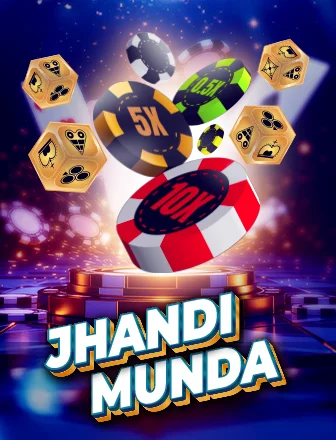
Blackjack, Jhandi Munda and the rest open in the same clean layout, streamed to hold up on mobile.
Log in once and the app keeps you there on your own device, so you are not typing a password every visit.
The net run rate, accumulator, and strike rate calculators travel with you, ready at the innings break.
Because the app comes straight from us rather than a store, Android asks you to allow the install once. That is normal for direct downloads.
Tap the download button above, or ask on WhatsApp and we will send the current link.
If your phone asks, switch on "install from this source" for your browser. You only do this once.
Tap the downloaded APK and confirm. It takes a few seconds and adds an IceBook9 icon.
Open the app, sign in with your IceBook9 ID, and you are set. Sign up first if you have not yet.
On iOS there is no APK. Instead you pin the site as a web app, which gives you the same one-tap icon and full-screen feel.
Visit icebook9.it.com in Safari — the home-screen option lives in Apple's own browser.
Hit the Share button and choose "Add to Home Screen" from the list.
An IceBook9 icon appears on your home screen. Open it and it runs full screen, just like an app.
Only ever install the IceBook9 app from a link we give you here or on our WhatsApp. Because a direct APK does not come through an app store, that is exactly the sort of thing scammers like to copy, so treat any "IceBook9 app" you find on a random site or forum with suspicion. If you are unsure whether a link is really ours, ask us before you install anything. It takes a second to check and it saves a lot of grief.
Keep the app updated when we push a new build — the update prompt tells you what changed. And the same house rule from the rest of the site applies here: the app is for adults, and anything you stake through it should be money you are happy to spend on entertainment. If you want to slow things down, the app respects the same limits and cooling-off options as the website. Our responsible gaming page explains how to set them.
Yes, the app is free to download and install. You only need an IceBook9 ID to log in, and creating one is free too.
That warning shows for any app installed outside the Play Store, not just ours. Allow the install for your browser once and you are through. Only use a link that came from us.
On iPhone you add the site to your home screen from Safari, which gives you the same one-tap icon and full-screen experience without an APK.
It runs on Android 6.0 and up and is built to stay light, so it should be fine on mid-range and older handsets.
Create your IceBook9 ID in a couple of minutes, then install the app and log straight in.
Create my ID